Your family's calendar, chores and meals in one place
A shared calendar, chores with stars and rewards, shopping lists and meal plans that everyone at home can see and update. FamilyHub works on phones and computers, and can run on a screen in the kitchen.
Free. Sign in with Google; children don't need an account.
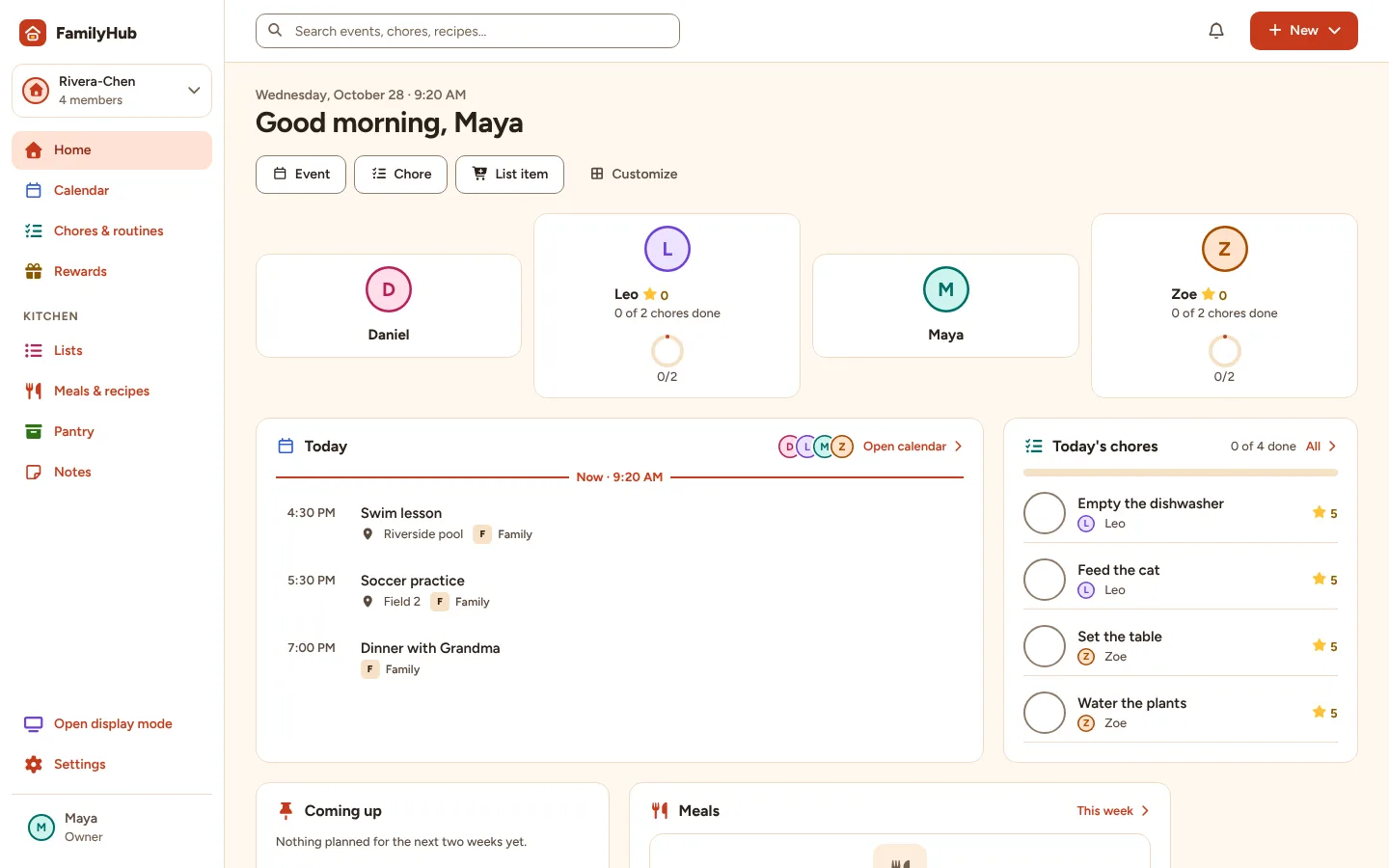
Everything the household runs on
Each part reads the same shared data, so an event, chore or list item exists once and shows up everywhere it's needed.
One family calendar
Day, week, month and agenda views for everyone, with calendar links and Google Calendar alongside the built-in family calendar.
Chores and routines
One-off and repeating chores, morning and bedtime routines, and a clear view of who has done what today.
Stars and rewards
Optional stars for finished chores and a reward list children can ask from, with an adult approving each request.
Shared lists
Shopping and to-do lists everyone can add to and check off, from any device or the kitchen screen.
Meals, recipes and pantry
Plan the week's meals, keep your recipes, send ingredients to the shopping list after a review, and track what's in the pantry.
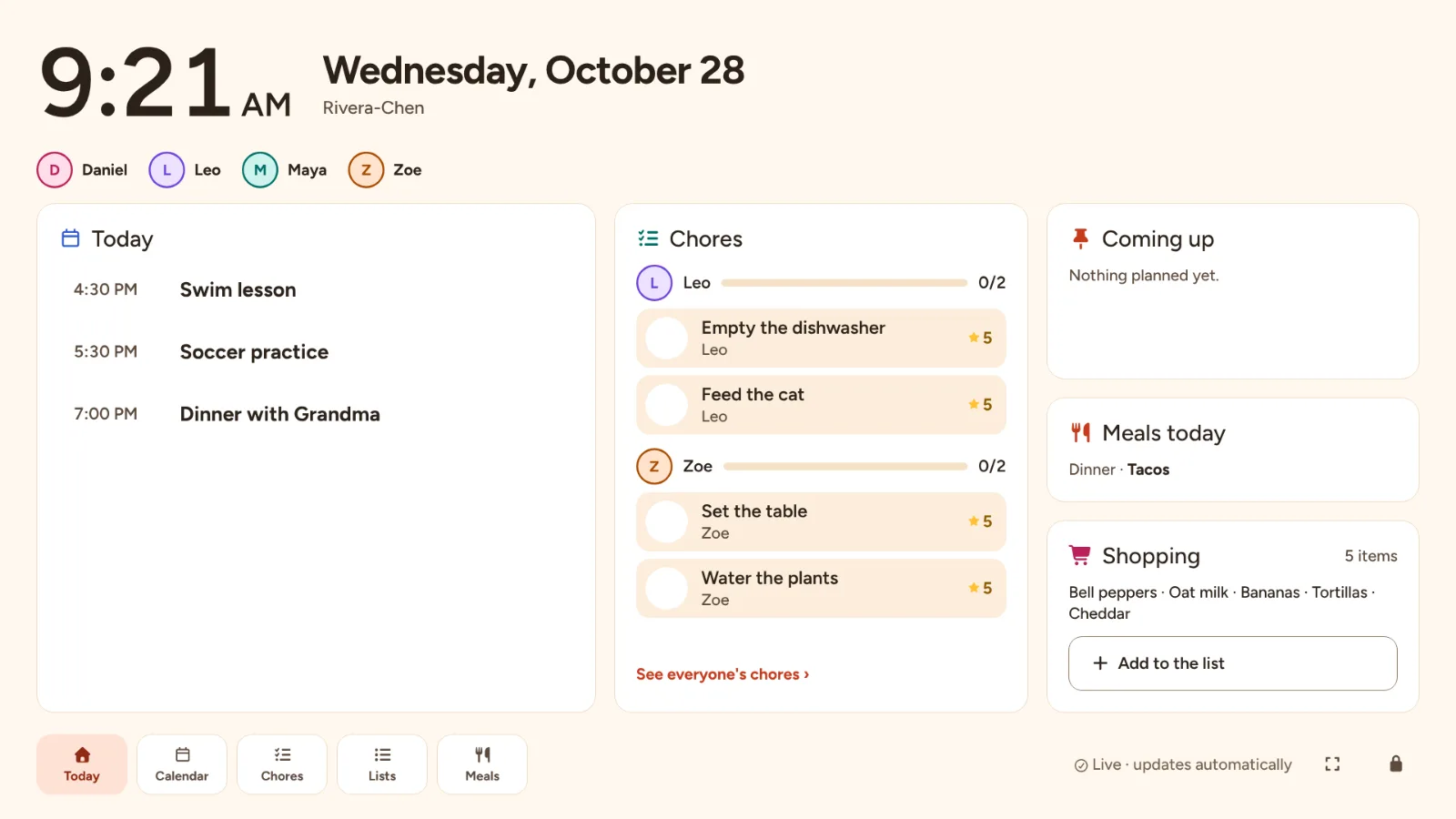
A wall display
Turn a tablet, monitor or TV into a glanceable family screen that updates on its own.
Made for the kitchen wall
Open FamilyHub on a tablet, monitor or TV and pair it with a short code or QR code. It shows the day in large type, updates by itself when someone changes something on their phone, and dims to a clock or photos when no one is using it.
A display has its own limited access, never someone's account. Adult-only actions on it need the household PIN, and an owner can remove it at any time.
Private by default
- Private events appear only as "Busy" on shared screens and to children.
- Only members of a household can read its data; the server checks every request.
- Calendar links and Google sign-in tokens stay on the server.
- Household data is never used for advertising.
Set up in a few minutes
Create your household
Sign in with Google, name the household and check the time zone.
Add the people who live there
Children get a profile without an account; invite other adults with a link.
Bring in calendars and start planning
Use the built-in family calendar, add calendar links, then add chores, lists and meals as you go.
Free for the whole household
No subscription for the core planning features.